


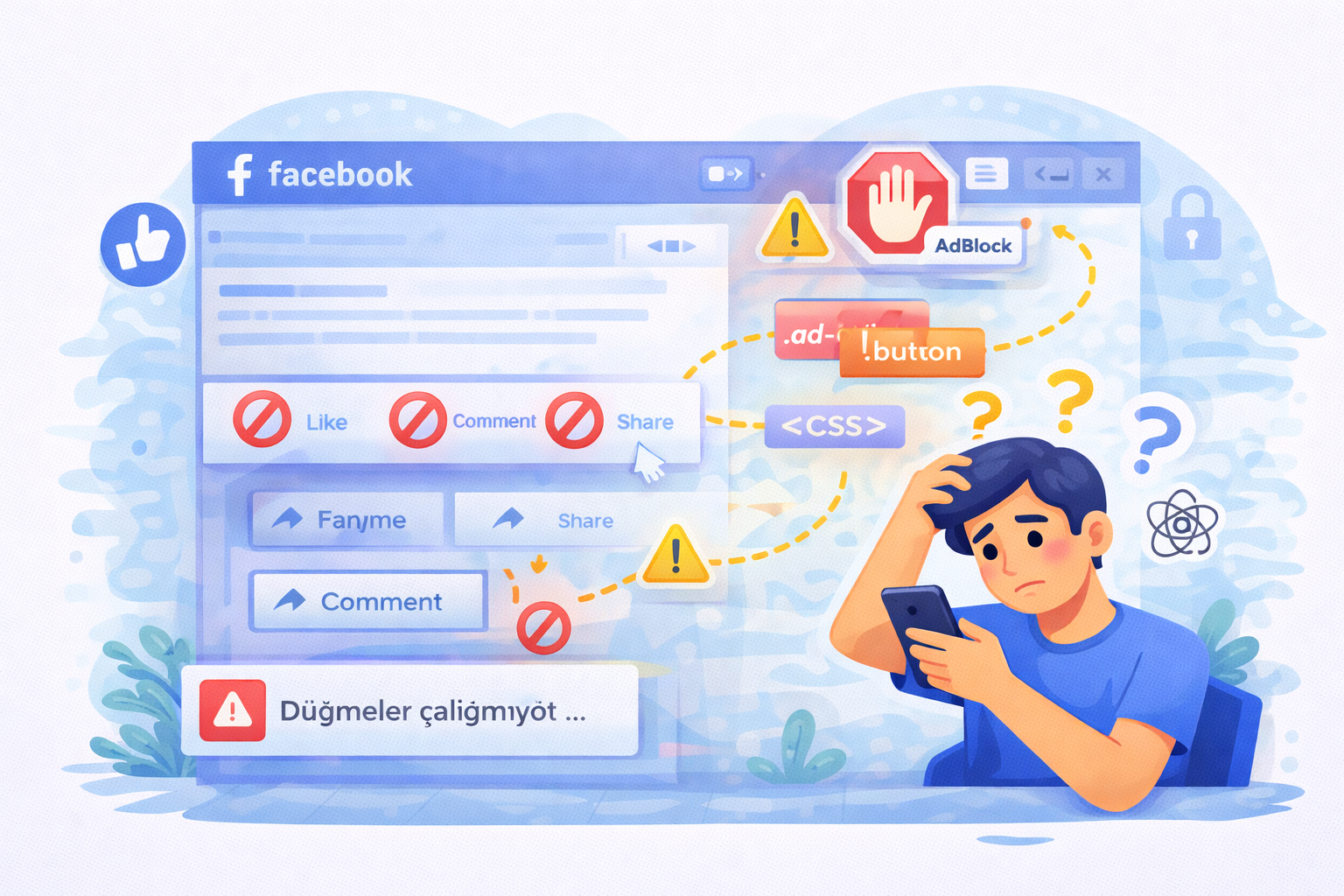

Facebook Buttons Don’t Work with an Ad Blocker Installed: The Real Story Behind CSS Selector Conflicts 😵💫🖱️
If you’ve ever opened Facebook (web or in app browser), tried to click something totally normal like Like, Comment, Share, “See more,” a dropdown menu, or even the “X” to close a dialog… and nothing happens, it can feel like your mouse suddenly forgot what clicking means 😅, but the pattern is usually much more specific: an ad blocker is applying an element hiding rule or an extended cosmetic filter that matches a container around the button, or overlays a hidden layer in a way that breaks pointer targeting, which is why this issue is commonly described as a CSS selector conflict.
And here’s the awkward truth that makes this problem so common: ad blockers do not just block network requests, they often hide parts of the page using CSS selectors, and that means a filter list author somewhere wrote a rule that looked “safe” at the time, but Facebook changed class names, nesting structure, or component composition later, and now the selector unintentionally matches something interactive. If you have ever thought “how can hiding ads break my buttons,” you’re about to get a very satisfying answer 😄✨.
Definitions: What a CSS Selector Conflict Means in Ad Blocking 🧠
Cosmetic filtering is the ad blocker feature that hides page elements by injecting CSS selectors into the page, usually to remove ad boxes, sponsored widgets, tracking overlays, and annoyances without blocking the whole page content. In Adblock Plus style syntax, a basic element hiding rule uses ## followed by a standard CSS selector, for example a domain plus ##.advert, and exceptions can be created with #@# to undo the hiding on a specific site or element. Adblock Plus documents this clearly in its filter cheat sheet, including the difference between standard element hiding and extended selectors. You can see the syntax and examples in the official Adblock Plus filter cheat sheet.
Extended element hiding goes further than normal CSS selectors by using “emulation” or extra pseudo selectors that allow rules like “hide a container that contains a certain child,” which is powerful, but also more likely to break things if a site reuses the same patterns for legitimate UI. Adblock Plus describes these extended selectors and warns about performance impact and careful use in its guide on how to write filters. If you want the canonical explanation of #?# syntax and why it exists, the official How to write filters article is the cleanest reference.
uBlock Origin supports cosmetic filters too, including procedural cosmetic filters where JavaScript logic finds matching elements before hiding them, which means breakage can happen not only from plain CSS selectors, but also from higher level “find and hide” logic that depends on DOM structure. The uBlock Origin wiki explains how procedural cosmetic filters differ from regular declarative ones and why they exist, and it’s genuinely helpful to read because it explains the exact mechanism that can accidentally target the wrong element when a site changes layout. If you want the authoritative reference, uBO’s documentation on procedural cosmetic filters is the right place.
Now, the phrase “CSS selector conflict” in this Facebook context usually means one of the following is happening: a selector hides a parent container of the button so the button never receives clicks, a selector hides the button itself, a selector hides part of a component so Facebook’s JavaScript state machine fails to attach handlers properly, or a selector creates a weird overlay situation where something invisible is sitting on top of the button and intercepting pointer events, which is where properties like pointer-events can become relevant. The CSS pointer-events property literally controls whether an element can receive click or touch interactions, and MDN’s documentation is a great neutral reference for what this property does and why “unclickable” can be a pure CSS outcome, not a JavaScript bug. Here is the official MDN page for pointer-events.
Why Important? Because “Unclickable Facebook” Is a Trust and Productivity Problem 😬📉
Let’s be honest, when Facebook buttons don’t work, people don’t calmly troubleshoot, they assume Facebook is broken, their account is bugged, or their device is dying, and they start doing random things like restarting, switching browsers, clearing cookies, disabling all extensions, or giving up entirely 😅. If you’re supporting users, that becomes a support ticket factory. If you’re a developer or marketer trying to validate a campaign post, it becomes a productivity drain. If you’re just a normal human trying to reply to a message, it becomes a rage moment that feels out of proportion because clicking a button should be the simplest thing in the world.
From an “EEAT” angle, this matters because we want stable, predictable user experiences, and the reality is that ad blockers are mainstream, meaning if your own workflow relies on Facebook for business communication or brand operations, you need a reliable way to diagnose and resolve these conflicts, not just a vague “turn it off.” Even more, the academic and industry community has observed that filter list rules can and do break websites at scale, and that the current ecosystem often relies on user reports and manual fixes, which means breakage can persist until someone complains loudly enough. If you want a research flavored perspective that this is not just anecdotal whining, there is a peer reviewed paper titled “Blocked or Broken?” about detecting when filter rules break websites, published in PoPETS, which provides a serious view into why breakage is a structural problem of the filter list ecosystem. You can read the PDF here: Blocked or Broken? Automatically Detecting When Filter Lists Break Websites 📚.
And emotionally, this is one of those small tech frustrations that feels strangely personal because you’re doing something normal, the interface visually looks fine, but the world stops responding 😭. The fix is usually simple once you see it, and that’s why it’s worth understanding.
How to Apply: A Practical Troubleshooting and Fix Framework 🛠️✅
The fastest way to solve this is to stop thinking “Facebook is broken,” and instead run a clean, repeatable diagnosis that answers one question: Is an element hiding rule or cosmetic filter interfering with click targets? Once you confirm that, you can either adjust your blocker, add a narrow exception, or identify the exact filter list rule to report upstream.
Step 1: Reproduce with a clean toggle test 🔄
Open Facebook, confirm the button is unclickable, then temporarily disable cosmetic filtering or disable the extension for Facebook only, refresh, and check if the button works. If it suddenly works, you just proved it’s an extension side effect, not a Facebook account issue. In uBlock Origin, you can often do this with the extension’s popup controls, and uBO support discussions commonly mention using the point and click panel to unbreak sites by adjusting rules and persisting changes if needed. A historical but still conceptually useful thread is the Mozilla discourse support page for uBO where the workflow is explained. Here is the reference: uBlock Origin support discussion.
Step 2: Identify whether the problem is network blocking or element hiding 🧩
If the UI appears visually complete but clicks fail, that often suggests a cosmetic issue rather than a blocked script file, although blocked scripts can also break event bindings. A clue is that ad blockers that focus on hiding often cause “ghost overlays,” while blockers that focus on blocking requests cause missing components or broken layouts. If you use an ad blocker that supports element picker, you can usually see which rules are applied to the area when you hover or inspect.
Step 3: Look for the two classic CSS breakage patterns 👀
Pattern one is that a parent container is being hidden via display: none or visibility: hidden, which is straightforward, the element is gone. Pattern two is sneakier: an overlay or wrapper is present and intercepts clicks, so the button is visible but not reachable by pointer targeting. This can happen because of stacking context and z index changes, or because a container has pointer behavior that prevents the click from reaching the intended element. That’s why knowing what pointer-events does is helpful, because when an element sits on top and is clickable or captures events, your button underneath becomes effectively dead.
Step 4: Create a narrow exception instead of disabling everything 🎯
This is the part that keeps your privacy setup intact while restoring usability. In ABP style syntax, element hiding rules use ##, and element hiding exceptions use #@#. That means if a list hides something too aggressively, you can undo it on facebook.com with an exception rule that targets only the problematic selector. The official Adblock Plus cheat sheet documents this exact exception syntax, and it’s the safest “surgical” move because you do not have to allow ads globally, you just remove the one wrong hide. See the exception explanation in the filter cheat sheet.
Step 5: If the filter is procedural or extended, be careful and specific 🧠
Extended or procedural filters can be powerful but fragile, and both Adblock Plus and uBlock Origin documentation basically imply, in different ways, that these tools can do advanced matching beyond simple selectors, which can cause unexpected hits when the DOM changes. If you are writing a custom rule, keep it domain specific, keep it minimal, and test carefully. Adblock Plus explicitly notes that extended selectors can have performance impacts, which is also a nice reminder that heavy matching tends to be more fragile. The official guidance is in How to write filters and uBO’s procedural explanation is in the uBO wiki.
Step 6: Report the problematic rule upstream if it comes from a list 📣
If the conflict is caused by a widely used list like EasyList or an annoyance list, it’s often worth reporting it, because the same breakage can hit thousands of users. Breakage issues do show up in list repositories and community reports, which is a reminder that this is a living ecosystem. For example, there are long running issues where a list change causes broad site breakage until it is corrected. You can see the kind of breakage reports that occur in public repositories like this EasyList issue: EasyPrivacy breaking nearly every website.
Comparison Table 📊
| Symptom | Most Likely Cause | Quick Confirmation | Best Fix |
|---|---|---|---|
| Buttons visible but clicks do nothing | Cosmetic rule causes overlay or intercept | Disable cosmetic filtering, refresh, it works | Add a narrow element hiding exception (#@#) for the selector |
| Buttons disappear entirely | Element hiding selector matches button or parent | Disable ad blocker, element reappears | Remove or override the matching rule using exception syntax |
| Only some actions break, like menus or dialogs | Extended or procedural cosmetic filter hits a container | Check “My filters” and list rules for extended selectors | Make exception domain specific and minimal |
| Page looks half loaded and clicks fail | Network blocking broke scripts, not only CSS | Temporarily disable network filtering for facebook.com | Allow the required script domains or adjust list selection |
Topic Diagram 🧩
User click
  |
  v
Browser hit test finds topmost element under pointer
  |
  v
If an invisible overlay exists, it becomes the target
  |
  v
Facebook button underneath never receives pointer event
  |
  v
User experiences: "button doesn't work" 😭
Examples: Realistic Scenarios and Fixes 😄🔍
Example 1: A “Sponsored” cleanup rule matches a generic container
A filter list tries to hide sponsored posts by matching a container that contains a label or a class pattern, but Facebook updates the markup and now the same selector matches a broader feed component, so your Like and Comment controls sit inside a container that is partially hidden or rewrapped. You see the post, but clicks fail because the interactive layer is no longer the real click target. The fix is to add an exception rule for the specific selector on facebook.com, using the #@# syntax documented by Adblock Plus in the filter cheat sheet, and refresh so the original component receives clicks again.
Example 2: An annoyance list hides a dialog backdrop but also breaks modal focus
You block popups, but the modal backdrop is used as part of Facebook’s click handling and focus trapping logic, so hiding it can leave a dialog in a “half state,” where the page looks normal but clicks do not route correctly. In uBlock Origin, procedural cosmetic filters can be involved in these kinds of cases, because the rule logic can hide nodes based on structure. The official uBO explanation of procedural filters helps you understand why these matches can be fragile when DOM structure changes. See procedural cosmetic filters.
Example 3: The invisible overlay trap
A rule hides an element by applying a style that changes layout, and suddenly an overlay layer that was supposed to be behind becomes positioned above the button, and now the overlay receives the click. In DevTools, you might literally see that the element at the top of the hit test is not the button. This is where understanding pointer-events helps, because if the overlay is capturing pointer events, it can make everything under it feel dead even though it is visible.
Anecdote ☕😂
I remember a day when I thought Facebook was having one of those global outages, because nothing would click, menus would open and close instantly, and even scrolling felt weird, and I was ready to blame the universe, but then I realized I had just enabled a more aggressive “annoyances” list in my blocker the night before, and the moment I toggled cosmetic filtering off for one refresh, the entire interface snapped back to normal like someone turned gravity back on. The funniest part was that the page never looked “broken,” it looked perfectly fine, it just behaved like it was covered with invisible glass, and that is exactly what a selector conflict feels like in practice 😅.
Metaphor 🪟
Think of CSS selector conflicts like putting a clear plastic sheet over a keyboard to protect it from spills 🥤. You can still see the keys, they look normal, but the tactile interaction changes, and suddenly pressing keys doesn’t register the way you expect, not because the keyboard is broken, but because something transparent is sitting between your finger and the mechanism. Ad blocker cosmetic filters can create the same “transparent barrier” effect for clicks.
Personal Experience 🙂
In my experience, the most reliable fix is not “disable your ad blocker forever,” because that’s not realistic for many people, it’s to identify whether the breakage is cosmetic or network based, then apply a narrow exception that targets only the problematic rule and only on the domain where it breaks, because once you learn that element hiding uses CSS selectors like normal CSS, you stop seeing it as magic and start treating it like a misapplied stylesheet, which is a very solvable problem. The moment you internalize the ABP syntax patterns, especially ## and #@# from the official cheat sheet, you can fix issues in minutes instead of suffering for days 😄✨.
Emotional Connection 💛
If you’re here because you’re trying to protect yourself from intrusive ads and tracking, and you feel annoyed that the “privacy choice” makes a major site feel unusable, that frustration is valid 😭, and the best way through it is to be kind to yourself and treat it like what it is: a mismatch between a fast changing interface and a rule written for an older version of that interface, which you can correct with a small, precise exception rather than abandoning your protection goals.
10 Niche FAQs 🤓✅
1) Why do Facebook buttons break only when “annoyances” lists are enabled?
Because annoyances lists often rely heavily on cosmetic and extended selectors to hide UI elements, and those selectors are more likely to accidentally match interactive containers when a site updates its DOM structure, as described in uBO’s discussion of procedural filtering and ABP’s extended hiding guidance in the uBO wiki and ABP’s filter writing guide.
2) Why can I scroll but not click?
Because scrolling can be handled by the document or a scroll container while an overlay intercepts click targets, which is consistent with hit testing behavior and pointer targeting concepts explained in MDN’s pointer-events documentation.
3) Is this usually caused by network blocking or element hiding?
If the UI looks normal but clicks fail, element hiding conflicts are more likely, while missing content and broken scripts often point to network blocking, though both can occur together.
4) What is the cleanest “surgical” fix in Adblock Plus style syntax?
Use an element hiding exception with #@# for facebook.com that cancels only the problematic selector, as documented in the filter cheat sheet.
5) Why does the problem appear after Facebook updates, even if I changed nothing?
Because a selector written for an older DOM can become overly broad when class names or nesting changes, turning a targeted hide into a collateral hit.
6) Can procedural cosmetic filters cause click breakage more than normal selectors?
They can, because they may hide elements based on relationships and conditions, which can be fragile when markup changes, as explained in uBO’s procedural cosmetic filter docs.
7) How do I confirm an invisible overlay is intercepting clicks?
Use DevTools to inspect which element is on top at the pointer location, and check computed styles and stacking context, especially if clicks are landing on a container instead of the intended button.
8) Why does it affect only some Facebook accounts or layouts?
Facebook runs UI experiments and layout variations, so a selector conflict may only trigger on the variant that matches the filter’s pattern.
9) Is it better to whitelist Facebook entirely or create exceptions?
Exceptions are usually better, because they preserve your broader protections while fixing only the broken interaction surface.
10) Should I report it to filter list maintainers?
Yes, especially if the rule comes from a popular list, because it can impact many users, and public issue tracking exists for this reason, as seen in repositories like EasyList breakage issues.
People Also Asked 🔎🙂
1) What do the symbols ## and #@# mean in ad blocker rules?
They are element hiding and element hiding exception separators in Adblock Plus style syntax, documented in the official filter cheat sheet, and they directly control whether a selector hides an element or cancels a hide.
2) Why do “hide sponsored posts” rules sometimes break normal posts?
Because the rule often targets a parent container pattern that can overlap with normal UI containers after a layout update, especially when extended selectors are used as described in ABP’s guide.
3) Can a CSS-only change make clicks fail even if JavaScript is fine?
Yes, because hit testing chooses the topmost element under the pointer, and CSS can change stacking and pointer handling, which is part of why pointer-events exists.
4) Why does disabling cosmetic filtering fix it but disabling network blocking doesn’t?
Because the issue is often caused by element hiding rather than blocked resources, meaning the scripts are present but the click targets are effectively covered or removed.
5) Is website breakage from filter lists a known ecosystem issue?
Yes, and there is research analyzing how filter list rules can break sites and how to detect such breakage more systematically, such as the PoPETS paper Blocked or Broken? 📚.
Conclusion: Fix the Selector Conflict, Keep Your Protection ✅😌
When Facebook buttons don’t work with an ad blocker installed, the most common root cause is not a mysterious Facebook bug, it’s a CSS selector conflict created by cosmetic filtering, where an element hiding rule matches a parent container, a wrapper, or creates an overlay that intercepts pointer events, making the interface look normal but feel unclickable. The quickest path is to reproduce with a controlled toggle, identify whether the breakage is cosmetic or network based, then apply a narrow exception using syntax like #@# for the specific selector and domain, which is exactly what Adblock Plus documents in its filter cheat sheet, while uBlock Origin’s documentation on procedural cosmetic filters explains why more advanced rules can be fragile as Facebook’s DOM changes. Once you treat this like a misapplied stylesheet rather than a supernatural browser curse, you can keep your privacy posture and still click Like again without screaming into the void 😄💛.
You should also read these…
- closedad.com – eco friendly insulation how hcfc free foams suppor
- spyfrogs.com – tiktok language settings not changing
- getaluck.com – spin the wheel for writing prompts a tool for writ
- godwig.com – how acoustic foams improve sound insulation in bui
- sixrep.com – tiktok not working with slow internet fixes
- surgeblog.com – inspiring ideas for decorating with pe foam
- surgeblog.com – search not working or incomplete operators and fil
- godwig.com – oem ready ptos with rapid rd driven development
- getaluck.com – 10 daily rituals that improve your self esteem
- tugmen.com – ozcihan makina industrial expertise superior trans